
One Number. One Team. Seamless Communication.
Secure SMS routing for Teams channels and Care View
CareTeams routes SMS either to shared Teams channels like Crisis Care or Scheduling, or directly to the client’s assigned care team in Care View—keeping conversations compliant, visible, and fast.
Teams Channel Routing
SMS lands in shared Teams channels for team-wide visibility and coverage.
Care View Direct Routing
Messages go straight to the assigned care team member for focused 1:1 care.
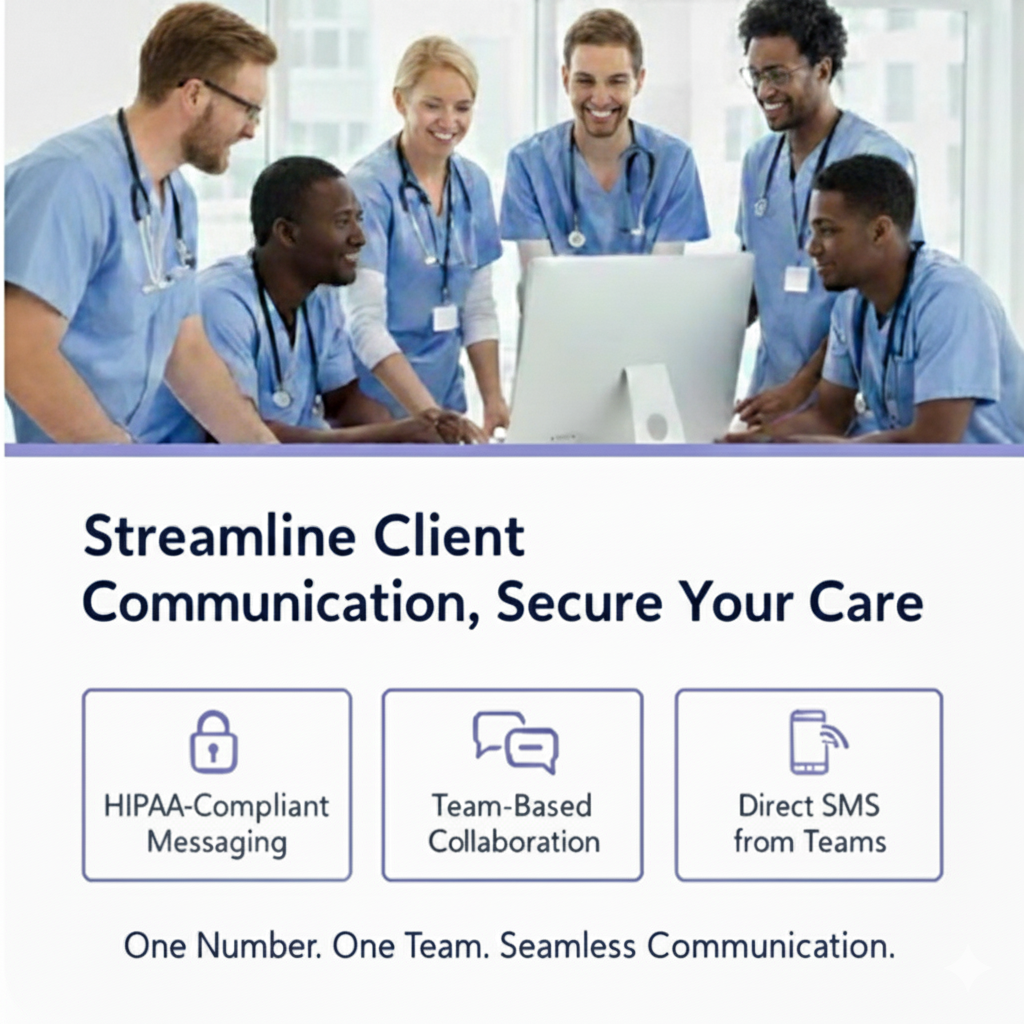
Streamline client communication, secure your care
Two routing modes: Teams channels for shared coverage, or Care View for direct care team delivery.
HIPAA‑Compliant Messaging
Keep PHI out of personal devices. All SMS conversations live inside secure Microsoft Teams channels.
Team‑Based Collaboration
Move from one‑to‑one texting to shared channels where the full care team can respond in real time.
Direct SMS from Teams
Send and receive texts without leaving Teams. Replies thread neatly next to the client record.
Centralized Records
All conversations are captured in one place for visibility, continuity, and audit readiness.
How CareTeams works
Simple for providers. Seamless for clients.
Send & Receive SMS from Teams or Care View
Text directly inside Teams channels or in Care View, depending on how you route messages.
Choose a Routing Mode
Route inbound messages to shared Teams channels or directly to assigned care team members in Care View.
EHR Context
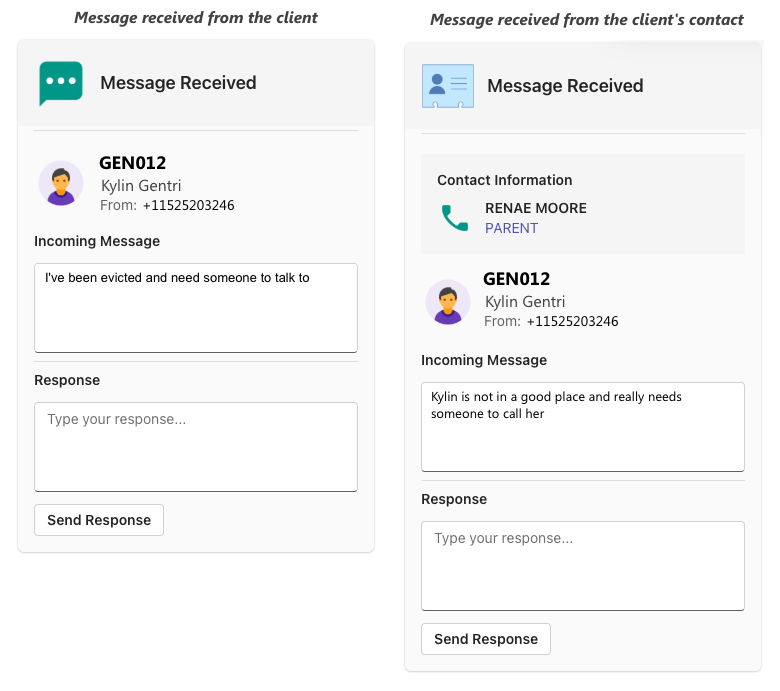
Client + Contact details surface in‑channel, looked up from your Electronic Health Record (EHR).
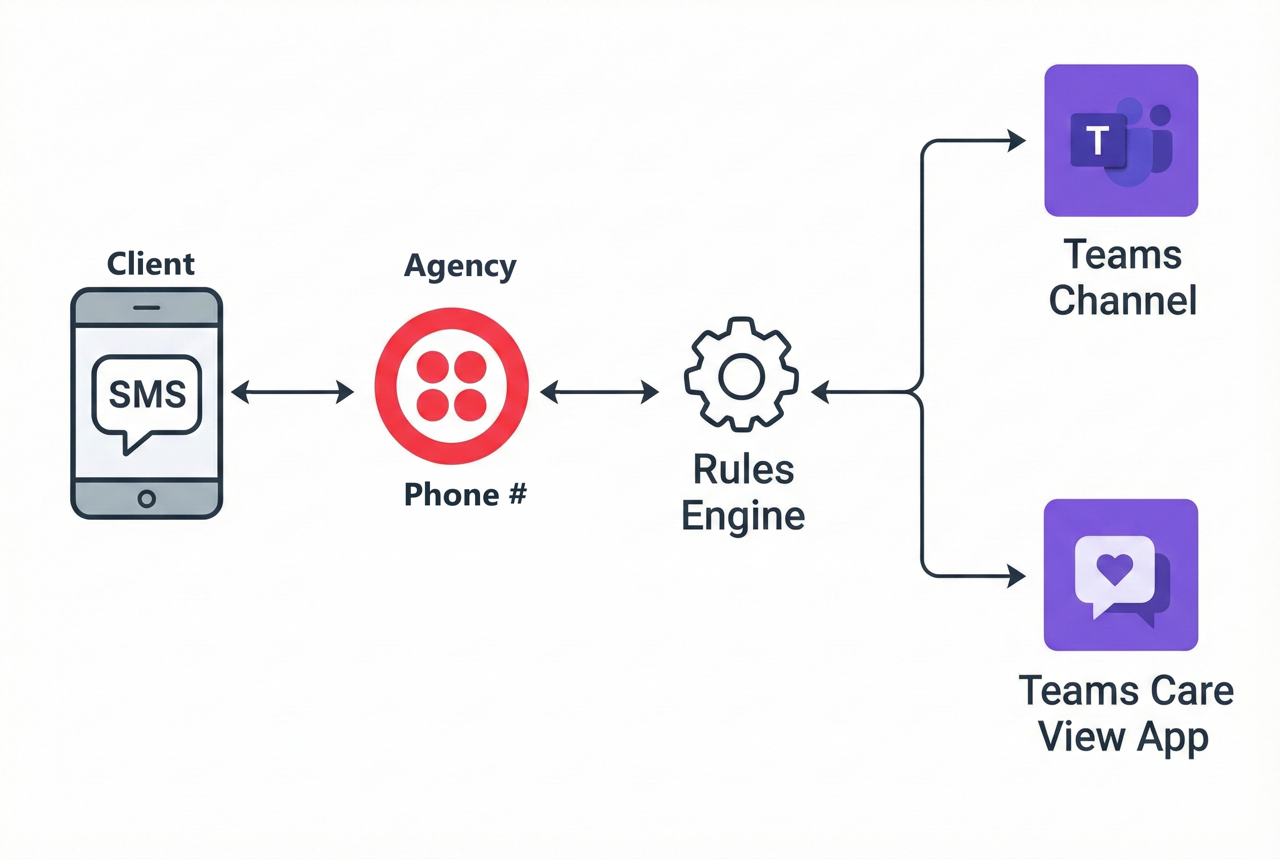
Care View: Direct routing to care providers
In addition to Teams channel routing, Care View sends SMS directly to the assigned care team member for personalized, one‑to‑one client communication.
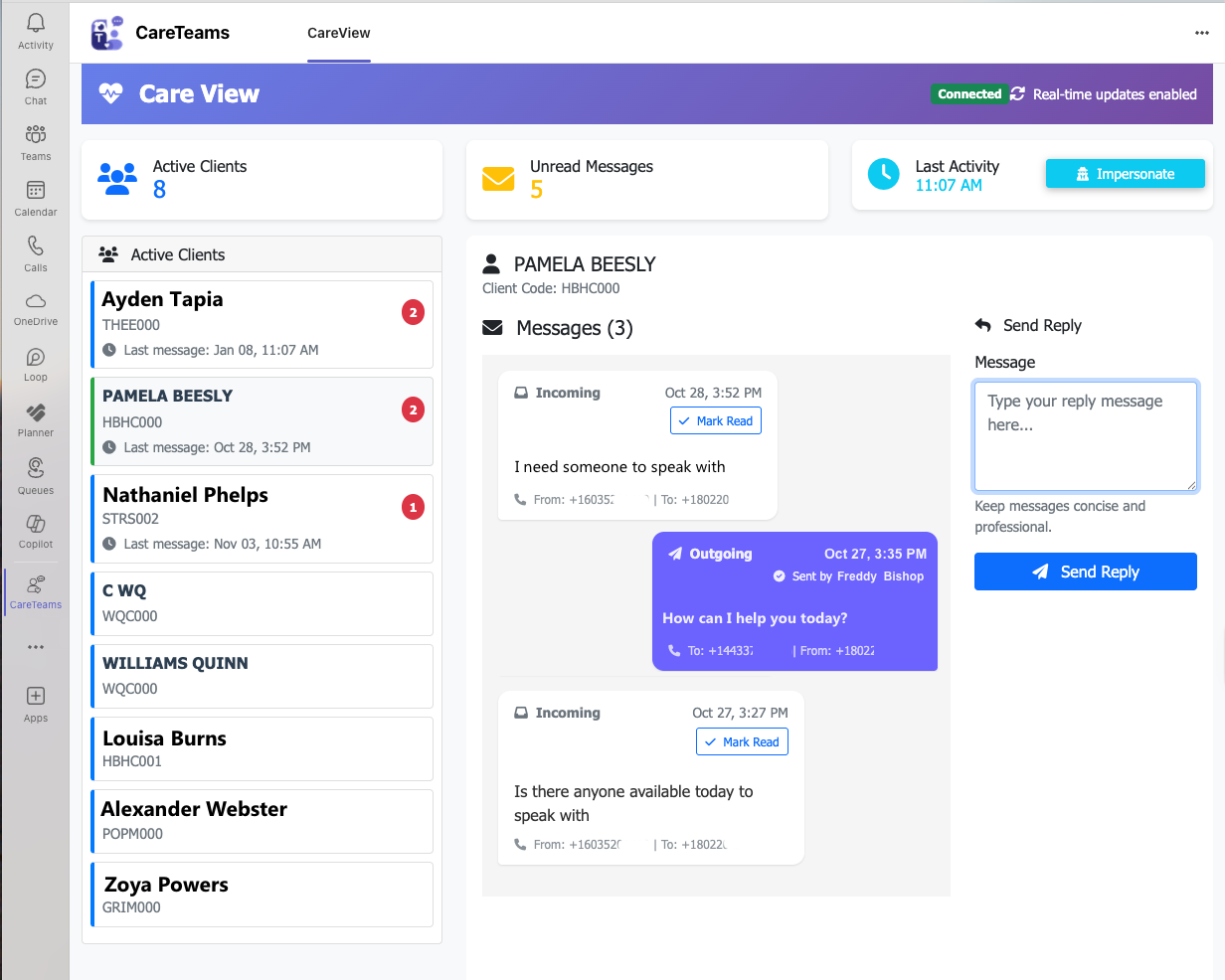
Personal Message Routing
Messages route directly to care team members based on client and episode assignments, ensuring the right provider sees each message.
Dedicated Teams Tab
Access a dedicated Care View tab in Teams to see your assigned clients with pending messages and manage conversations in one place.
Message Tracking & Replies
Track read/unread status and reply directly from Care View, with real‑time updates via SignalR for immediate notification.
Routing & automations
Intelligent, rules‑based logic keeps messages flowing to the right team, at the right time.
Rules‑Based Routing
Messages are delivered to the correct Teams channel using the client’s phone number.
Channel Forwarding
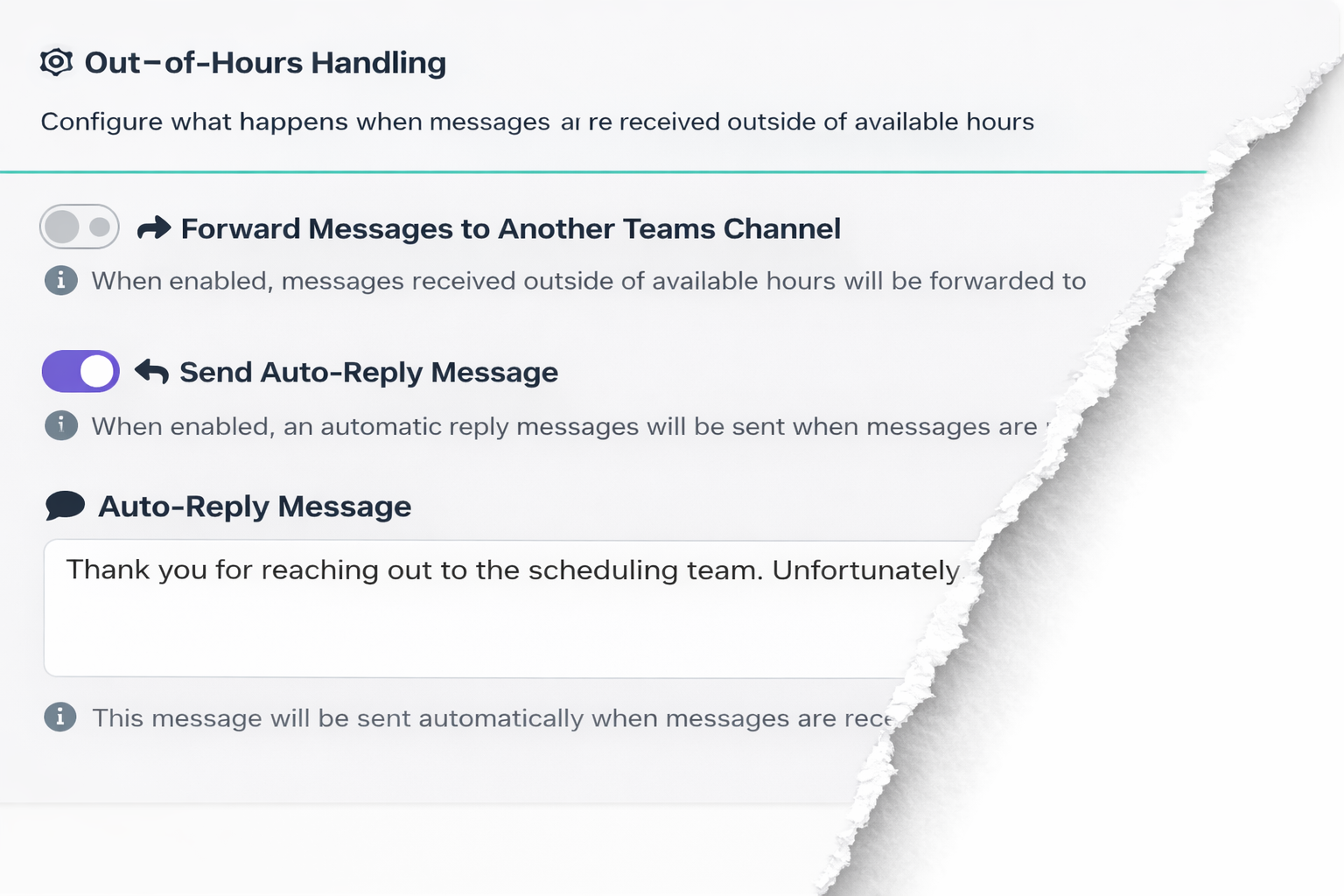
After‑hours or limited availability? Forward to an alternate 24/7 channel automatically.
Auto‑Replies
Send tailored responses that set expectations and guide clients to business‑hours engagement.
EHR‑aware communication
CareTeams displays client and contact information directly within Microsoft Teams by retrieving data from your Electronic Health Record (EHR) system. Contact us to see if your EHR is currently supported.
- Instant context for the care team—no app‑switching.
- Consistent client identity across conversations.
- Better continuity when staff rotate or are off shift.
Security & compliance
Designed with healthcare in mind.
HIPAA‑aligned
Conversations move out of personal devices and into governed Teams channels with audit trails.
Centralized Records
Visible to the full team with controls handled by your Microsoft 365 policies.
Easy Microsoft 365 Integration
Deploy within your existing Microsoft ecosystem for simple user management and SSO.
Ready to empower your team with CareTeams?
See how secure texting from Teams can simplify client engagement and lower compliance risk.
Get in touch
Interested in a pilot, pricing, or EHR roadmap? We’d love to show you CareTeams.